
Family historians of all skill levels can organize, research, and preserve their family history with the aid of RootsMagic 10, a robust and intuitive genealogy program. Moreover, building on decades of development. RootsMagic 10 provides an easy-to-use interface for tracking research progress, adding media and sources, and recording family relationships. The software supports both basic tree-building and sophisticated genealogical analysis. Users can find new information and keep accurate, well-documented family records.
RootsMagic 10 Features
To improve your genealogy experience and make your family history come to life, we’ve loaded RootsMagic 10 with cutting-edge new features.
- DNA Match Management: Utilize the Leeds method to organize your genetic genealogy by recording and analyzing DNA matches, forecasting relationships, and producing reports.
- Health and Medical History Tracking: This is for people who are capable of producing thorough family health history reports, record specific medical conditions.
- Advanced Search Features: Take advantage of robust new search features, such as dynamic group management and rules-based searching, for more precise and adaptable data retrieval.
- Improved Data Management Tools: Share information with multiple people more effectively, copy or transfer facts between individuals, and customize the display of names for various cultures.
- Dynamic Group Features: Without having to go through several forms, quickly refresh and update groups based on new data straight from the main screen.
- Simplified User Interface: Take advantage of a more user-friendly interface with better color coding, simple color code set navigation, and improved editing capabilities.
- Context-Sensitive Help: Get online and offline assistance based on the particular screen or function you’re using.
A New Book
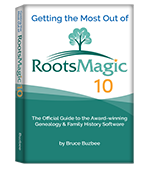
Additionally, we are thrilled to present the most recent version of our in-depth manual, “Getting the Most out of RootsMagic 10.”
For users who wish to fully explore RootsMagic’s capabilities, this book is ideal. Moreover, it covers everything from simple data entry to more complex methods like creating custom reports, properly citing sources, conducting research, and more.
This book is printed by Amazon.com and its price is $19.95. This is simply your best bet for learning RootsMagic 10.
New Videos
We’ve created a number of free tutorial videos to assist you in using RootsMagic 10 and comprehending its new features. Such as “Getting Starts with RootsMagic 10,” “What is New in RootsMagic 10,” and thorough explanations of each feature are among them.
Free “RootsMagic Essentials”
Additionally, there is a free version of RootsMagic 10 known as “RootsMagic 10 Essentials.” This version is ideal for people who are new to genealogy and has a lot of essential features. Moreover, ‘RootsMagic Essentials’ is a risk-free way for you to start with your family history journey, and it is available for Windows and macOS.
Also Read: https://legacyfamilytreehelp.com/rootsmagic-family-tree-genealogy-software/
FAQs
Q1. What does RootsMagic 10 do?
A. RootsMagic 10 is used to record, arrange, print, and distribute family history. Moreover, it enables users to store research data, create and maintain family trees, and produce a variety of reports and charts.
Q2. What does RootsMagic 10 cost?
A. There are two versions of RootsMagic: the full paid version (RootsMagic 10) costs USD $39.95, though there are frequently 50% off deals. The free version is called Essentials. There is no requirement to update to future versions, which they will undoubtedly do, and it is a one-time expense.
Q3. Does RootsMagic Sync with FamilySearch?
A. Indeed, RootsMagic allows users to import and upload family tree data by syncing with FamilySearch.
Q4. Does RootsMagic Sync with MyHeritage?
A. In order to add hints and tree information to your home tree. RootsMagic can indeed connect to and sync with MyHeritage.
Q5. Does RootsMagic sync with a legacy family tree?
A. RootsMagic and Legacy Family Tree are two different genealogy programs; they do not directly sync. Nonetheless, a tree can be manually move from Legacy to RootsMagic using an intermediary file format or, in certain situations. A particular RootsMagic version that allows a direct import from Legacy, for example, the 32-bit version of Windows RootsMagic.
Conclusion
We hope that you enjoy reading the above instructions and find this post useful. Moreover, if you need further assistance, you can directly call our Genealogy Software Support Number at +1-800-697-1474. Or you can connect with the Genealogy Experts immediately using the Live Chat Support.